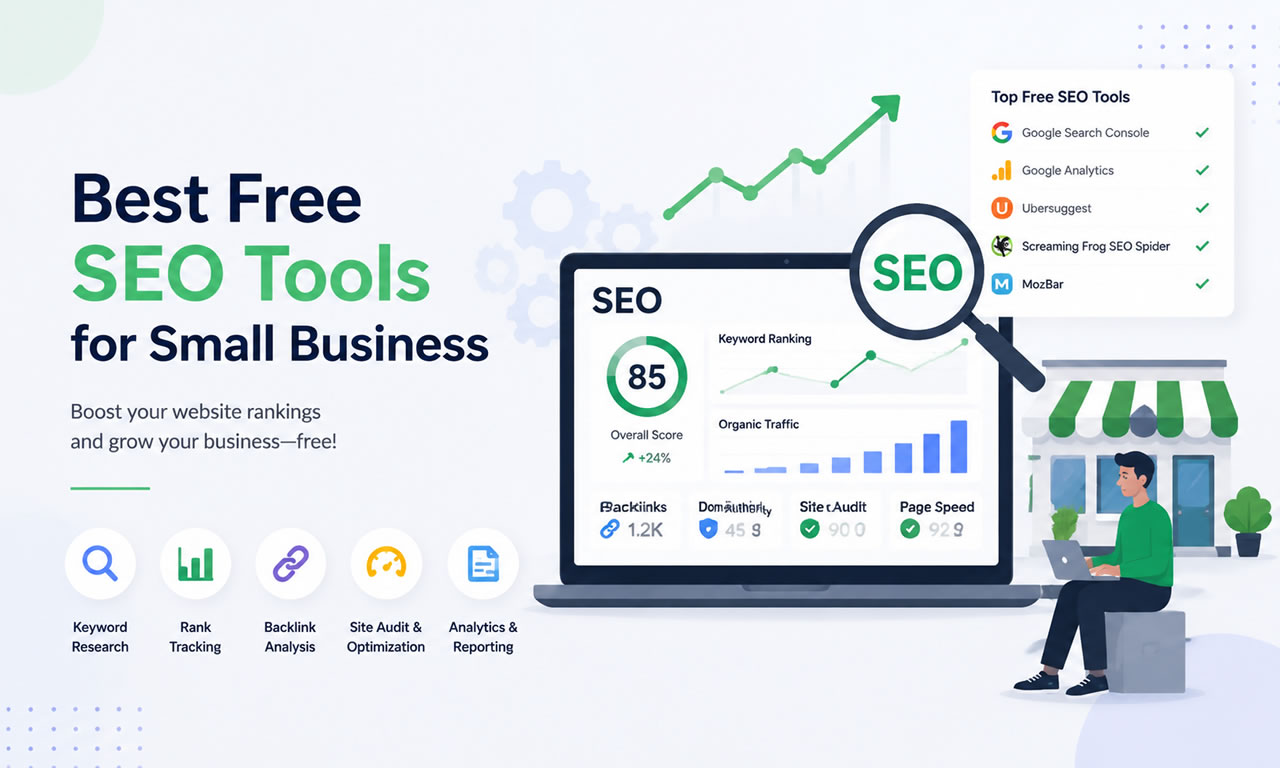
Ranking on the first page of Google doesn't always require expensive enterprise software. If you are a small business owner, blogger, or startup founder in 2026, there are plenty of powerful tools available at no cost. Here is our ultimate list of the 10 best free SEO tools to help you drive organic traffic.
10 Best Free SEO Tools for Small Business Owners in 2026
1. Google Search Console
This is an absolute must-have. It shows you exactly how Google views your site, which keywords are bringing in traffic, and if there are any mobile usability or indexing errors you need to fix.
2. Ahrefs Webmaster Tools (AWT)
Ahrefs offers a free tier for website owners. Once you verify your site, you get access to profound backlink data, organic keyword rankings, and a comprehensive site audit tool that scans for over 100 technical SEO issues.
3. Ubersuggest (Free Chrome Extension)
Neil Patel's Ubersuggest offers a highly functional free Chrome extension. It allows you to see keyword search volume, CPC, and competitor insights directly on the Google search results page.
4. AnswerThePublic
If you are struggling with content ideas, this tool visualizes search questions and suggested autocomplete queries. It is the best free way to find long-tail "how-to" keywords in your niche.
5. Screaming Frog SEO Spider (Free Version)
The free version allows you to crawl up to 500 URLs on your website. It is the industry standard for finding broken links (404 errors), analyzing page titles, and discovering missing meta descriptions.
6. Rank Math (WordPress Plugin)
For WordPress users, Rank Math's free version packs more features than most premium plugins. It offers built-in schema markup, redirect managers, and real-time content optimization suggestions.
7. Google Keyword Planner
Originally built for Google Ads, this remains one of the most accurate sources for keyword search volumes. You just need to set up a free Google Ads account to access the data.
8. GTmetrix
Page speed is a crucial ranking factor. GTmetrix provides a free, detailed breakdown of your website's performance, showing exactly which scripts or uncompressed images are slowing you down.
9. MozBar
This free Chrome extension from Moz gives you instant metrics while viewing any webpage or search engine result. It’s perfect for quickly checking the Domain Authority (DA) of your competitors.
10. Exploding Topics
SEO is about predicting trends. The free version of Exploding Topics helps you discover rapidly growing search terms before your competitors do, allowing you to write content that captures early traffic waves.
Summary
You can build a highly successful organic growth strategy using just these free tools. Start with a solid site audit and focus on creating content that answers your audience's questions.
Did you know that 70% of marketers are already using AI tools like ChatGPT for content creation?
In today’s competitive digital space, the words you choose can make or break your visibility. Some topics and phrases simply attract more attention, and knowing how to craft them effectively can be a real growth driver.
AI tools have made it faster than ever to generate unique, compelling content, but speed is nothing without strategy.
“AI is not going to replace humans any time soon. However, people who have adopted AI in their daily processes will begin to replace those who don’t.”
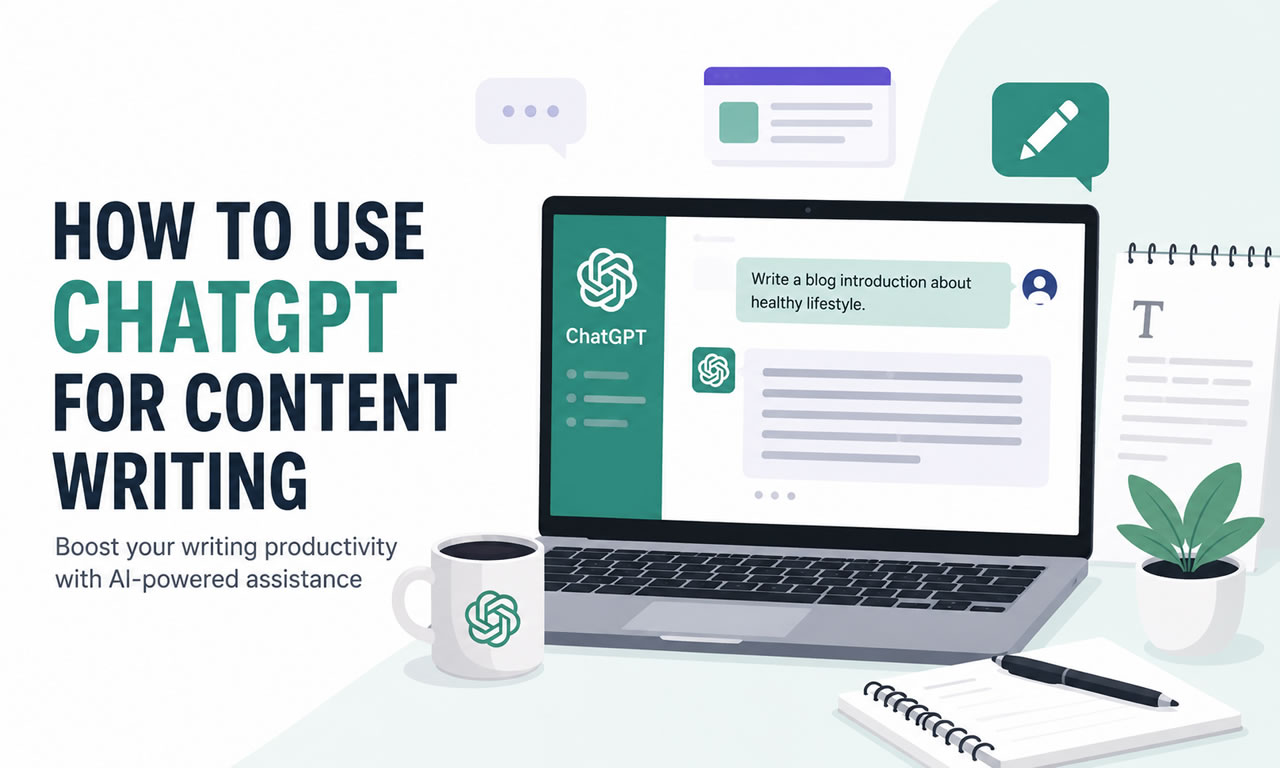
In this article, I’ll walk you through how to use ChatGPT for content writing so you can create posts that not only read well but also get found by the right audience, including practical chatgpt prompts for content creation you can try.
Use ChatGPT for content writing that ranks on Google
What is ChatGPT?
ChatGPT is a computer program designed to talk with people using text. It is an artificial intelligence (AI) created by OpenAI that can understand questions and respond like a human.
You can ask it for help writing texts, explaining things, answering questions, or just chatting about many different topics.
In short, ChatGPT is like a virtual assistant you can talk to, and it helps you with many tasks by understanding and generating language.
How to write quality content with ChatGPT
Using ChatGPT to write content might seem easy, but getting natural, relevant, and SEO-friendly text actually takes a bit of strategy. Here are some tips based on what many users have found works best for content and copywriting:
1. Come up with content ideas
Think of ChatGPT as a handy brainstorming buddy, like having someone to toss ideas around with when you’re stuck. In fact, 68% of content marketers use AI for ideation in 2026, which shows how useful it is for generating topics. It’s great if you’re the kind of person who’s better at taking action on ideas than thinking them up from scratch.
For example, I asked ChatGPT for “creative ways a small AI startup focused on education could use social media to get noticed by teachers and professors.” It gave me a bunch of cool, fresh ideas right away.
Another neat trick is to use ChatGPT to do some quick market research first. You can ask it to find the main competitors in your field, spot opportunities in the market, and even come up with unique selling points for your business.
2. Pick your topic
Begin by selecting a clear and specific subject you want to explore in your writing. Keeping your prompt simple and focused helps guide the content creation and makes the writing process smoother.
For instance, if you choose meditation as your topic, a clear prompt could be, “What are the benefits of meditation?” This clarity ensures the generated content stays relevant and on point, making it easier to expand or adapt later.
3. Break it down step-by-step
Instead of asking ChatGPT to write a whole article in one go, try working in stages:
First, ask for a list of important topics and subtopics related to your subject.
Then, create a detailed outline based on that list.
Finally, have ChatGPT write the article section by section, so you can review and adjust as you go.
This way, you keep better control over what the content looks like and stays on track.
4. Keep instructions simple and clear
ChatGPT works best when the instructions are straightforward. Don’t overload one prompt with too many details. Instead, break your requests into smaller, focused tasks like:
Write a paragraph about this specific point.
Then, rewrite it to sound smoother.
Then, tweak the keyword usage to make it feel natural.
5. Include keywords
To create focused and SEO-friendly content, it’s important to include specific keywords in your prompt when using ChatGPT. By telling the AI which keywords to use, you ensure they’re naturally included in the text.
This helps your content stay relevant to what people are searching for and improves its chances of ranking well on search engines. Keywords also keep the content focused and clear.
Just be careful not to overuse keywords, as this can make the text feel unnatural. The best approach is to have keywords integrated smoothly within well-written sentences.
If you’re writing for SEO, you’ll also want to consider how many keywords for SEO is ideal so your article stays focused without feeling stuffed.
6. Help ChatGPT match your style
If you want the writing to sound like you, provide ChatGPT with a sample of your own writing. This helps the AI understand your tone, style, and voice, so the output feels more natural and personal.
For example, if you usually write in a friendly and casual way, you might share a paragraph like: “Hey there! I love sharing tips that make life easier. Let’s dive into this topic together and keep things simple.”
On the other hand, if your style is more professional and formal, your sample could be: “This article explores the key strategies for improving productivity in the workplace, supported by recent research.”
By giving ChatGPT examples like these, it can tailor its responses to better match how you communicate.
7. Repurpose your existing content
Planning a content strategy is one thing, but actually creating all that content takes a lot of work. Since you’ve already put in the effort, you want to get the most mileage out of it by sharing it everywhere. But you can’t just copy-paste a blog post straight onto social media, each platform needs its own style.
That’s where ChatGPT comes in handy. It can do the tough stuff for you, like summarizing your article or pulling out key quotes to share on LinkedIn, Twitter, or wherever you’re active, making content and copywriting across channels much easier.
You can even ask ChatGPT to create AI-generated images to go with your posts. Just a heads-up though, it’s not great at making images with accurate text, so if you want infographics or visuals with lots of words, you’re better off using a design tool.
8. Write SEO meta descriptions
You can give ChatGPT your full article and ask it to create the meta description (short text that appears under your title in Google results). Or if your article is already online and not behind a paywall, just drop the URL into the prompt and it can work from that.
Sometimes you might need to tweak the result to make sure your main keyword is included, but honestly, it’s a great place to start.
One thing to keep in mind: when you tell ChatGPT to stick to a character limit, it doesn’t always nail it perfectly. So double-check the length before you publish to avoid that annoying “exceeds character limit” warning from your CMS.
9. Use AI as a helper, not a full replacement
Think of ChatGPT as a smart assistant. It’s great for generating ideas, rough drafts, or outlines, but the real magic happens when you step in to edit and improve the content.
Cut out repeated or unnecessary phrases.
Add your own insights or details to give it more depth.
Make sure keywords fit naturally without forcing them.
10. Be aware of AI limitations
AI models like ChatGPT are trained on huge amounts of data, which helps them generate useful content. However, they can’t always distinguish facts from errors or know the latest best practices, especially for SEO. Sometimes, they might repeat outdated information or common mistakes found in their training data.
“Surveys show that only 4% of B2B marketers have a “high level” of trust in generative AI’s outputs”
For example, ChatGPT might suggest keyword stuffing as a good SEO tactic, even though it’s now considered harmful. Or it could provide statistics that are no longer accurate.
That’s why it’s crucial to carefully review and fact-check any AI-generated content. Use your own knowledge and expertise to correct mistakes and ensure the information is up to date and accurate.
Why is content writing important these days?
Content writing really matters a lot in today’s digital world, and there are several good reasons for that. Let me break it down for you.
It helps people learn stuff
Good content is like sharing useful info. Whether it’s blogs or website pages, it helps people understand new things, pick up skills, or just stay in the loop with what’s going on.
It builds trust
Nowadays, there’s tons of info everywhere, so people want to trust what they read. If you write well, with accurate and reliable info, it makes people see you or your business as someone who really knows their stuff. That trust is super important.
It keeps people interested
If your content is interesting and maybe even fun, people will want to stick around longer, maybe share it too. Using stories, videos, or cool graphics makes everything more engaging and enjoyable.
It helps your website show up on Google
Good content with the right keywords and structure makes it easier for search engines to find and rank your site. That means more people can find you without paying for ads.
“Websites with blog content have 434% more indexed pages in search engines than those that don’t add content regularly”
It makes your brand known and liked
When you keep putting out helpful content, more people get to know you and what you’re about. It also helps keep your current audience loyal because they see you’re really offering value.
“87% of B2B marketers say content marketing has improved brand awareness”
It supports marketing and sales
Content isn’t just for info, it actually helps bring in customers. From product descriptions to emails, good writing can convince people to buy or get interested in what you offer.
It shows you’re a leader in your field
By sharing your ideas and insights regularly, you can become someone people look up to in your industry. That can open doors to new chances, like speaking gigs or partnerships.
It works in many formats and places
You’re not stuck with just writing articles. Content can be videos, podcasts, social media posts, or webinars. This way, you reach people wherever they like to hang out.
Final thoughts:
ChatGPT isn’t here to take your voice away, it’s here to help you find it faster. By mixing AI’s speed with your own creativity and expertise, you can produce content that’s not just readable, but memorable and discoverable by the right audience.
So next time you’re staring at a blank page, remember: you’ve got a smart writing buddy ready to brainstorm, outline, and polish right alongside you.
If you want to take it a step further, check out our guide on how to use AI for content creation: tools and tips to boost creativity and save timeto get even more ideas and practical tips !
FAQ: Using chatGPT for content writing
Q: Can content writers use ChatGPT?
A: Absolutely. Many content writers use ChatGPT to brainstorm ideas, draft articles, create outlines, and repurpose existing content. It’s a great productivity booster, especially when paired with human editing for accuracy and tone.
Q: How to tell ChatGPT to write like a human?
A: Share examples of your own writing style or specify the tone you want, such as “friendly and casual” or “professional and formal.” Giving ChatGPT a sample paragraph helps it match your voice more closely. You can also tell him like “write as if you talking to a friend politely” etc.
Q: Which AI tool is best for content writing?
A: ChatGPT is a top choice for many because it’s versatile, easy to use, and works well with SEO strategies. Other options include Claude, Gemini, and Jasper AI, the best tool depends on your workflow and budget.
Q: Can ChatGPT make a website?
A: Yes, to an extent. ChatGPT can write HTML, CSS, and JavaScript code for a simple website or generate content for web pages. For a fully functional site, you’ll still need a website builder or developer to handle hosting, design, and integrations.
Q: Is ChatGPT content good for SEO?
A: It can be, as long as you guide it with the right keywords, structure, and up-to-date information. Human oversight is key to avoid outdated advice or keyword overuse.
Q: Can ChatGPT replace a human writer?
A: No, it’s best used as a helper, not a replacement. AI speeds up drafting, but human writers add creativity, context, and industry knowledge that make content stand out.
Q: Can I repurpose my old content with ChatGPT?
A: Definitely. You can paste an old blog post and ask ChatGPT to turn it into social media posts, an email newsletter, or a video script, adapting it to each platform’s style.
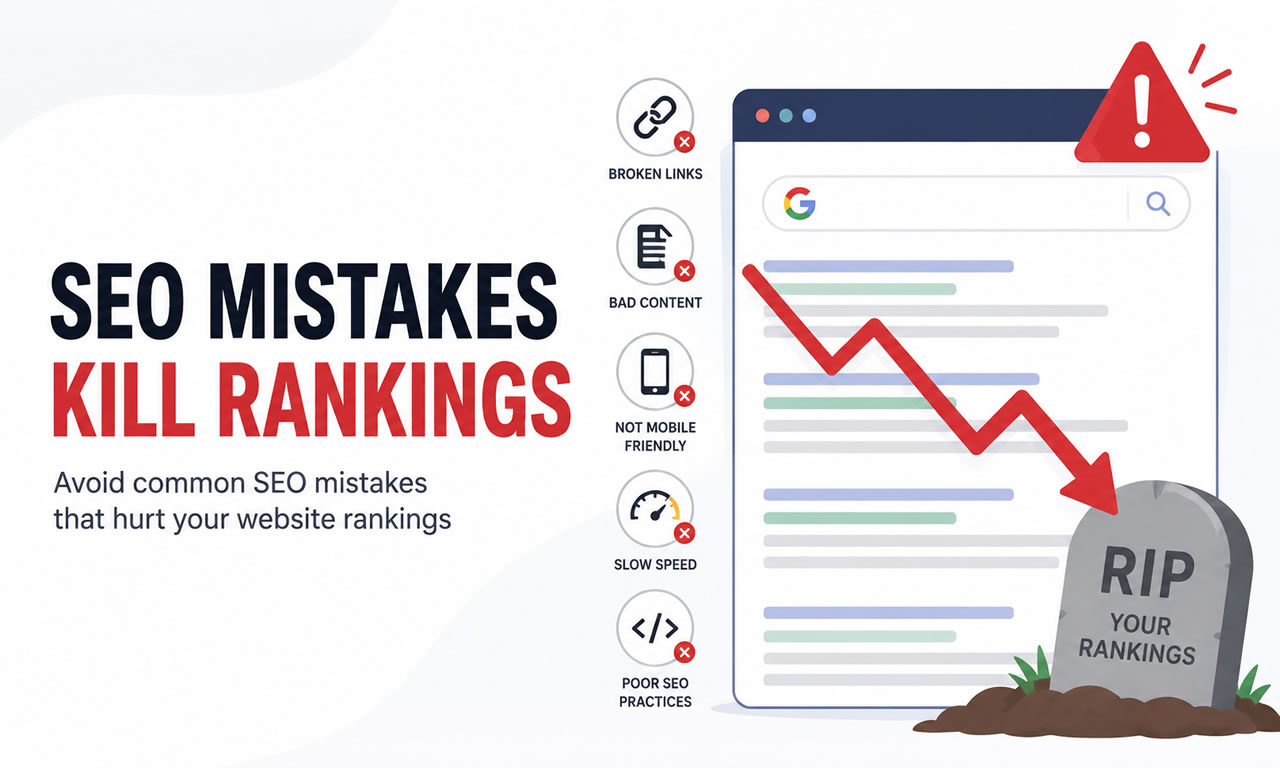
Your blog’s traffic could be suffering due to common SEO mistakes. Here’s the reality: small errors like keyword stuffing, ignoring mobile optimization, or publishing low-quality content can sink your rankings. Fixing these issues is critical because the top Google result captures 31.7% of clicks, and failing to rank well means missing out on valuable traffic.
7 SEO Mistakes That Kill Rankings
Here are the seven most damaging SEO mistakes:
Keyword Overuse: Cramming keywords hurts readability and triggers Google penalties.
Ignoring User Intent: Misaligned content fails to meet searchers’ needs, leading to high bounce rates.
Skipping Technical Setup: Issues like slow page speed and broken links prevent proper indexing.
Mobile Unfriendliness: Poor mobile design lowers rankings and frustrates users.
Weak Internal Linking: Missing links make content harder to find and reduce site authority.
Low-Quality Content: Thin or outdated posts drive users away and signal poor value to search engines.
To succeed, focus on creating user-friendly, high-quality content while addressing technical SEO basics.
5 SEO Content Writing Mistakes That Are Killing Your Rankings
1. Overusing Keywords in Your Content
Keyword stuffing is a surefire way to tank your search rankings. This outdated tactic involves cramming your target keywords into as many sentences as possible, resulting in content that feels robotic and unnatural. While keywords are still important for SEO, overloading your content with them can send warning signals to Google's algorithms and alienate your readers.
Impact on Search Engine Rankings
Google's algorithms have become much smarter over the years. Thanks to advancements in natural language processing and semantic search, Google now prioritizes context and user intent over exact keyword matches.
If you overuse keywords in an unnatural way, you risk facing penalties. Google's Helpful Content System, introduced in August 2022, specifically targets content designed more for search engines than for users. These penalties can cause your rankings to plummet - or worse, your pages could disappear from search results altogether.
Google favors a keyword density that feels organic, usually around 1-2% of your total word count. Anything beyond that raises red flags. But it’s not just about the numbers - Google also evaluates how well your content aligns with the search intent behind the keywords. Overstuffing keywords not only risks penalties but also damages your content’s ability to engage readers effectively.
Effect on User Experience
Keyword-stuffed content is a nightmare for readers. It disrupts the flow of your writing and makes it harder for people to find meaningful information. Unsurprisingly, this leads to higher bounce rates as visitors leave your page in frustration.
Metrics like bounce rates and time on page are critical for SEO. When users quickly exit your site or spend very little time on your content, it sends a clear message to Google: your content isn’t delivering value. This poor user experience can hurt your rankings just as much as direct algorithmic penalties.
Today’s readers expect content that’s easy to read and genuinely helpful. They’re looking for answers, not repetitive keywords. By focusing on natural language and providing real value, you can keep readers engaged and encourage them to explore more of your site. These positive engagement signals also boost your SEO performance over time.
Technical SEO Implications
Beyond user engagement, keyword stuffing can have serious technical consequences. Google’s Panda algorithm specifically targets low-quality content that relies on keyword manipulation. This means your site could face algorithmic penalties that harm your overall performance.
Overloading your content with exact-match keywords also limits your ability to rank for long-tail variations and related searches. By focusing too narrowly on one phrase, you miss out on opportunities to attract a wider audience through related terms.
A better approach is to use topic clusters and semantic keywords. Instead of fixating on repeating a single keyword like "digital marketing tips", cover the topic more broadly. For example, discuss digital marketing strategies, social media techniques, online advertising, and content creation. This natural variation not only improves readability but also signals to Google that your content is comprehensive and relevant to multiple search queries.
2. Ignoring What Users Actually Want
Overlooking what your audience truly needs is one of the quickest ways to tank your SEO efforts. Many bloggers get so fixated on stuffing pages with specific keywords that they completely miss the mark on search intent - the actual reason someone is searching in the first place.
When you fail to address search intent, you're essentially creating content that doesn't serve your audience. This disconnect between what users are looking for and what you're offering not only frustrates visitors but also damages your rankings and overall site performance.
How It Affects Search Engine Rankings
Just like keyword stuffing, ignoring search intent can seriously hurt your SEO. Google has evolved beyond simply matching keywords. It now prioritizes content that aligns with what users are genuinely searching for. If someone lands on your page and immediately bounces back to the search results, it sends a clear message to Google: your content didn’t deliver.
Metrics like user engagement are key here. Google's RankBrain algorithm evaluates how well your content satisfies user intent. For example, if someone searches for "best running shoes" but your page only lists technical specs instead of offering buying tips or reviews, your rankings will drop - even if your keywords are perfectly optimized.
Another critical factor is dwell time, or how long users stay on your page before returning to search results. When your content fully addresses user needs, people stick around longer, signaling to Google that your page provides value. Pages with higher dwell times consistently outperform those with shorter engagement periods.
The Impact on User Experience
When your content misses the mark on what users are actually looking for, the experience on your site takes a hit. Your job isn’t just to sprinkle in keywords - it’s to answer real questions and provide useful information. If visitors can’t find what they’re after, they’ll leave quickly, often within the first 10-15 seconds of arriving.
Take search intent as an example. If someone searches for "how to start a blog", they’re likely looking for a detailed guide, not a sales pitch for your blogging course. On the other hand, if the query is "best blogging platform", they’re ready to compare options and make a decision. Misinterpreting these intents leads to content that feels either irrelevant or overly pushy.
A poor user experience doesn’t just stop at engagement - it also impacts your conversion rates. Even if your SEO efforts bring in traffic, visitors won’t subscribe to your newsletter or buy your products if your content doesn’t address their needs or concerns.
Technical SEO Consequences
Ignoring user intent also creates technical SEO headaches. Metrics like high bounce rates and low engagement tell Google that your content isn’t delivering, which can lead to penalties that drag down your entire site’s performance.
Another issue is backlinks. Backlinks remain a vital ranking factor, but content that doesn’t meet user needs rarely earns natural links from other sites. This creates a vicious cycle: poor content leads to fewer backlinks, which further damages your rankings.
Even your site's crawl budget can take a hit. Google allocates a specific amount of resources to crawl and index your site. If your pages consistently fail to engage users, Google may crawl your site less frequently, delaying the indexing of new content.
Finally, content that misses user intent often struggles with semantic relevance. Google’s algorithms are designed to evaluate how well your content covers a topic comprehensively. If your content doesn’t answer the questions users have, it signals to Google that your site lacks authority on the subject.
To fix this, start by researching the intent behind your target keywords. Tools like Google’s "People Also Ask" section and related searches can help you uncover the specific questions and concerns your audience has. By aligning your content with these expectations, you’ll not only improve user satisfaction but also strengthen your overall SEO performance.
3. Skipping Basic Technical Setup
Many bloggers put all their energy into crafting content but overlook the nuts and bolts of their site's technical setup. Here's the thing: technical SEO isn't optional - it's the framework that ensures search engines can find, crawl, and index your content. Without it, even the most compelling blog posts might never see the light of day in search results.
Neglecting basics like XML sitemaps, fixing broken links, optimizing page speed, or creating clear URL structures can make it harder for search engines to understand and rank your site properly.
Impact on Search Engine Rankings
A poor technical foundation can seriously hurt your search rankings. If Google or other search engines struggle to crawl your site, they may skip pages or index them incorrectly. This means your well-written posts might not even show up in search results.
Slow-loading pages are another major red flag. Not only do they frustrate users, but they can also lead to ranking penalties. Broken links and error pages? They scream poor maintenance and waste your crawl budget - resources search engines allocate to indexing your site.
And let’s not forget SSL certificates. Google prioritizes HTTPS sites, and browsers often warn users away from non-secure pages. If your site lacks this basic security feature, you're putting your rankings - and user trust - at risk.
Effect on User Experience
Technical issues don’t just hurt rankings; they also drive visitors away. Imagine landing on a blog with pages that take forever to load or links that lead to error messages. It’s frustrating, right? These problems erode trust and make it less likely that users will stick around.
Even something as simple as your URL structure can make a big difference. A URL like "yourblog.com/post123456" tells users nothing about the content, while "yourblog.com/seo-blog-mistakes" is clear and user-friendly.
Mobile responsiveness is another must-have. If your blog doesn’t display well on smartphones or tablets, you risk alienating a huge chunk of your audience. In short, technical flaws don’t just hurt your visibility - they also leave visitors with a bad impression.
Technical Consequences
Skipping the basics of technical setup has ripple effects beyond rankings. For example, if your XML sitemap isn’t correctly configured, search engines might miss some of your content entirely.
Then there’s canonicalization. Without it, duplicate content can confuse search engines and dilute your ranking signals across multiple URLs. And don’t underestimate the power of schema markup - it helps search engines understand your content better, often leading to enhanced search results.
The bottom line? A solid technical foundation is non-negotiable. Without it, even the best content won't get the attention it deserves.
4. Not Optimizing for Mobile Devices
These days, mobile optimization is a must-have, not a nice-to-have. With smartphones driving more than half of all web traffic, ignoring mobile users is like turning away half your audience at the door. Yet, many bloggers still prioritize desktop designs, leaving mobile visitors to deal with clunky layouts, tiny text, and frustrating navigation.
But mobile optimization isn’t just about making your site look okay on smaller screens. It’s about delivering a smooth, fast, and user-friendly experience across all devices. Skipping this step doesn’t just frustrate users - it also takes a serious toll on your search engine rankings. And that can ripple through every aspect of your blog’s performance.
Impact on Search Engine Rankings
Here’s the deal: Google now ranks your site based on its mobile version. If your mobile site is slow or hard to use, it doesn’t just hurt your mobile traffic - it can drag down your desktop rankings too. This shift has made mobile optimization a core part of SEO.
Sites that aren’t mobile-friendly face steep penalties. Google’s algorithm flags issues like unreadable text, buttons that are too close together, and content that doesn’t fit properly on mobile screens. These problems scream “bad user experience” to search engines, and they’ll push your site further down the rankings.
Speed is another critical factor. Mobile users expect pages to load in under three seconds, and Google uses mobile loading speed as part of its ranking criteria. If your blog flies on desktop but crawls on mobile, your rankings will take a hit across the board. And lower rankings mean fewer visitors sticking around to engage with your content.
Effect on User Experience
Mobile users aren’t just smaller versions of desktop users - they behave differently. They’re often multitasking, have less patience, and expect quick results. If your site isn’t optimized for mobile, you’re creating barriers that turn visitors away before they even get to your content.
When your site isn’t mobile-friendly, bounce rates skyrocket. Users don’t want to pinch, zoom, or struggle to tap tiny buttons. If they can’t easily navigate your blog, they’ll leave within seconds, sending negative signals to search engines.
The reading experience also takes a hit. Long paragraphs feel like endless walls of text on a small screen, images don’t scale properly, and sidebars can push content into awkward, narrow columns. If your content is hard to read or interact with, mobile users simply won’t stick around.
Technical SEO Implications
Mobile optimization isn’t just about visuals - it’s deeply tied to technical SEO. For instance, responsive design issues can lead to duplicate content problems if your mobile and desktop versions serve different URLs or structures. This confuses search engines and weakens your rankings.
Another critical factor is proper viewport setup. Without the right meta tags, mobile browsers won’t scale your content correctly, leading to display issues that hurt both user experience and SEO.
Speed optimization for mobile is a different game compared to desktop. Large images, heavy JavaScript, and complex CSS that work fine on desktop can cripple your mobile load times. And slow load times are a major red flag for search engines.
In short, mobile optimization isn’t just a nice touch - it’s a necessity. It impacts everything from user satisfaction to search rankings, making it a cornerstone of SEO success.
5. Publishing Duplicate Content
Duplicate content can confuse search engines and hurt your rankings. When the same content shows up in multiple places - whether on your site or across the web - search engines struggle to decide which version deserves to rank. This often results in none of your pages getting the visibility they should, leaving your content practically invisible to readers.
Duplicate content doesn’t just come from obvious copy-pasting. It can sneak in through technical glitches, content management mistakes, or even well-meaning strategies that backfire. Once it’s there, it creates a ripple effect, impacting everything from your search rankings to your website’s overall credibility. It dilutes your ranking strength and disrupts critical technical SEO elements.
Impact on Search Engine Rankings
Search engines aren’t fans of duplicate content because it creates a poor user experience. When Google encounters multiple versions of the same content, it has to decide which one to display in search results. Unfortunately, this decision rarely works in your favor.
One immediate issue is ranking dilution. Instead of one strong page, you end up with several weaker pages competing against each other. This splits your link authority across duplicates, making it harder for any single page to rank well.
Google’s algorithms also see duplicate content as a red flag for low-quality or spam-like practices. If your site has a lot of duplicate content, its overall authority can take a hit, affecting even your original, high-quality pages. In some cases, pages with duplicate content are filtered out of search results entirely or pushed so far down that they’re effectively invisible. Fixing these problems takes time and effort, even after addressing the root causes.
Effect on User Experience
From a reader’s perspective, duplicate content is frustrating and can damage your site’s reputation. Imagine searching for information and seeing the same article pop up multiple times - it’s a waste of time. Users expect fresh, unique insights, and duplicate content leaves them disappointed.
On your site, encountering the same information across different pages can make visitors question whether you have anything new or valuable to offer. This can increase bounce rates and discourage users from returning or sharing your content.
Internal duplicates also create navigation headaches. When users find similar or identical content on multiple pages, they don’t know which version is the most accurate or up-to-date. Instead of sticking around to figure it out, they’re more likely to leave your site altogether.
Technical SEO Implications
Duplicate content causes more than just ranking problems - it also creates technical challenges. One big issue is wasting your crawl budget. Search engine bots spend time crawling duplicate pages instead of indexing your unique, valuable content. This is especially problematic for larger websites, where efficient crawling is essential.
Canonical tags, or the lack of them, can worsen the problem. Without proper tagging, search engines might assign authority to the wrong version of your content, undermining your SEO efforts. These automated decisions don’t always align with your strategy, causing ranking power to flow to less important pages.
Another headache is link equity. When external sites link to different versions of your duplicate content, the authority from those backlinks gets scattered. Instead of boosting one strong page, the impact is diluted, making it harder to compete for important keywords.
Duplicate content also skews your analytics. If the same content exists across multiple URLs, it’s tough to get reliable data on how it’s performing. This makes it nearly impossible to refine your content strategy based on accurate metrics.
To avoid these pitfalls, conduct regular content audits, use canonical tags correctly, and establish clear content creation guidelines. These steps can help keep your site free of duplicates and ensure your pages perform at their best.
6. Poor Internal Link Strategy
Internal links are the threads that weave your content together, yet many bloggers overlook their importance. When you fail to connect your pages strategically, search engines see your content as isolated pieces rather than a cohesive whole. This oversight not only impacts your rankings but also leaves readers disconnected, with valuable content hidden away like buried treasure.
A weak internal linking strategy often stems from a lack of planning. Many bloggers focus solely on individual posts, forgetting to consider how each fits into the overall site structure. This piecemeal approach creates gaps, leaving content stranded and your site's authority diluted.
Impact on Search Engine Rankings
Search engines rely on internal links to map out your site's structure and prioritize pages. When internal links are neglected, search engine bots struggle to navigate and index your content effectively.
Internal links distribute PageRank authority across your site, amplifying the ranking potential of key pages. If your most important content isn't linked frequently, its ranking power gets stuck on less critical pages instead of boosting the articles that matter most.
Moreover, internal links help search engines discover new content. A page without links might remain invisible to search engine crawlers, no matter how well-optimized it is. This is especially problematic for new posts that haven't yet gained external backlinks.
Anchor text plays a critical role here. Linking to a page about "email marketing strategies" with vague text like "click here" misses the chance to signal its relevance. Search engines use anchor text to understand a page's topic, so descriptive, keyword-rich links can significantly enhance your SEO efforts. Thoughtful internal linking reinforces your site's structure and ensures your content works together to improve overall performance.
Effect on User Experience
From a reader's perspective, poor internal linking feels like hitting a dead end. After finishing an article, readers often want to dive deeper into related topics - but without links, they’re forced to leave your site and turn to search engines again.
Strategic internal links keep readers engaged by guiding them to content that complements what they’ve just read. For instance, someone exploring a post about content marketing might naturally want to learn more about SEO or social media strategies. Without clear links to those topics, you risk losing their attention - and their trust.
Internal links also showcase your expertise. When you link to in-depth explanations of concepts mentioned in your posts, you demonstrate a comprehensive understanding of the subject. This positions your site as a go-to resource rather than just another blog with scattered information.
Navigation is another pain point. If readers know you’ve covered a topic but can’t easily find it, they’re likely to give up. This frustration leads to higher bounce rates and shorter session durations, which search engines interpret as signs of poor content quality. These user experience issues also create technical SEO challenges, making it harder for search engines to crawl and distribute link equity efficiently.
Technical SEO Implications
Neglecting internal linking can waste your crawl budget, as search engine bots may focus on less important pages instead of the ones that matter most.
A fragmented internal linking strategy makes your site architecture unclear. Search engines prefer well-organized sites where key pages are easy to access. When your content isn’t well-connected, it’s harder for algorithms to categorize and rank it effectively.
Uneven link equity distribution is another issue. Some pages may hoard authority they don’t need, while others struggle to gain traction due to insufficient internal links. This imbalance undermines your site's overall performance.
Page depth - the number of clicks it takes to reach a page from your homepage - also plays a role. Important pages buried deep within your site are less likely to be crawled and ranked. Ideally, your key content should be reachable within three clicks from your homepage, ensuring it gets the attention it deserves.
To address these issues, start by auditing your content to identify linking opportunities. Group related posts into topic clusters and connect them naturally. Use descriptive anchor text to provide context for both readers and search engines. A thoughtful internal linking strategy can transform your site into a well-connected, user-friendly, and SEO-friendly resource.
7. Writing Low-Quality Content
Once you've tackled the technical and structural aspects of your site, the quality of your content becomes the defining factor in SEO success. Think of content quality as the backbone of your SEO efforts - without it, everything else falls apart. Low-quality content doesn't just fail to attract readers; it actively damages your site's reputation with search engines. Publishing poorly researched, thin, or irrelevant material sends a clear message to Google: your site isn't worth ranking.
Far too often, bloggers focus on churning out as much content as possible, prioritizing quantity over quality. This strategy backfires, as search engines are now incredibly adept at identifying and penalizing superficial content that doesn't genuinely benefit readers.
Low-quality content takes many forms: shallow articles, fluff-filled posts, outdated information, or recycled ideas with no fresh perspective. These red flags tell search engines that your site lacks the depth and value needed to earn top spots in search results.
Impact on Search Engine Rankings
Search engines prioritize content that showcases expertise and trustworthiness. Low-quality content, by its very nature, fails to meet these standards and is unlikely to rank well. Google's algorithms are built to reward content that demonstrates expertise, authoritativeness, and trustworthiness (E-A-T). If your content lacks these qualities, it simply won't compete.
Thin content, which doesn't fully address a topic, often struggles to rank. While there's no set word count that guarantees success, pages that leave questions unanswered typically perform poorly against more in-depth resources. Search engines favor content that satisfies user intent by covering topics comprehensively.
Keeping your content updated is equally important. Outdated advice, broken examples, or stale information signal to search engines that your site isn't well-maintained. This can be especially damaging in fast-evolving industries where current, accurate information is critical. Regularly refreshing your content helps demonstrate that your site is active and reliable.
User engagement metrics also play a significant role. If visitors quickly leave your page because the content is hard to read or doesn't meet their expectations, search engines take note. High bounce rates and low time-on-page metrics signal that your content isn't meeting user needs, which can hurt your rankings and overall visibility.
Effect on User Experience
Just as technical SEO ensures your site functions smoothly, high-quality content is what keeps readers coming back. When someone clicks on your article, they expect to find useful insights or solutions - not generic advice they've seen a dozen times before. Failing to meet these expectations leaves readers frustrated and unlikely to return.
Poorly structured content is another major issue. Walls of text, missing subheadings, and a lack of clear organization make it hard for readers to find what they need. Most people scan online content rather than reading it word-for-word. If your content doesn't support this behavior, you'll lose their attention quickly.
Accuracy is also key. Sharing outdated or incorrect information erodes trust. If readers follow your advice and it doesn't work - or worse, causes harm - they'll associate your brand with unreliability. This can lead to negative word-of-mouth and social sharing, amplifying the damage caused by poor content.
Generic content is equally problematic. Readers aren't looking for one-size-fits-all advice; they want insights tailored to their specific challenges. If your content feels impersonal or irrelevant to their situation, they'll look elsewhere for better resources.
Technical SEO Implications
Low-quality content doesn't just hurt your rankings - it can also waste your site's crawl budget and dilute your topical authority. Search engine crawlers have limited resources to allocate to each site. If they encounter too many low-value pages, they may crawl your site less frequently or in less depth.
Engagement metrics tied to content quality also affect technical SEO. High bounce rates and short session durations send negative signals to search engines, impacting your site's authority score. These patterns influence how search engines perceive your site as a whole, including how they evaluate new content.
On the flip side, high-quality content strengthens your site's authority. When your library includes comprehensive, valuable posts, it helps algorithms understand your expertise in specific areas. This increases your chances of ranking for the topics that matter most to your audience.
To improve content quality, start by auditing your existing posts. Look for areas where depth, accuracy, or relevance are lacking. Remove or revamp content that doesn't meet today's standards. Focus on creating thorough, actionable resources that address user questions in detail. Remember, a single well-crafted post that ranks highly is far more valuable than a dozen mediocre ones that go unnoticed.
Comparison Table
The table below highlights seven common SEO mistakes, explaining their effects on rankings, user experience, and technical performance. It also shows how Inblog can help address these issues. When multiple mistakes occur together, their negative impact multiplies, making a systematic approach to improvement far more effective than fixing problems one at a time. Here's a breakdown of these key mistakes and how Inblog supports your SEO efforts:
SEO Mistake
Impact on Rankings
Impact on User Experience
Technical Performance Impact
How Inblog Helps
Overusing Keywords
Triggers penalties for keyword stuffing and lowers rankings.
Makes content feel awkward and unnatural to readers.
Signals poor content quality and reduces crawl efficiency.
Built-in SEO tools ensure balanced keyword usage.
Ignoring User Intent
Leads to low click-through rates and poor rankings.
Causes high bounce rates when content doesn’t meet user needs.
Wastes crawl budget on underperforming pages.
Real-time analytics offer insights into user behavior.
Poor Technical Setup
Blocks proper indexing and limits ranking potential.
Slow load times frustrate visitors.
Disorganized site structure confuses search crawlers.
Automated SEO optimization ensures a strong technical setup with high Lighthouse scores.
Mobile Optimization Issues
Penalized under mobile-first indexing for non-responsive design.
Reduces engagement on mobile devices.
Inefficient mobile rendering affects performance.
Responsive design templates guarantee mobile readiness.
Duplicate Content
Search engines struggle to identify the primary version.
Repetitive information confuses visitors.
Divides link equity across similar pages.
Automatic redirects help manage duplicate content effectively.
Weak Internal Linking
Limits the distribution of page authority.
Makes navigation difficult and content harder to discover.
High bounce rates signal poor quality to search algorithms.
SEO guidance ensures adherence to content quality standards.
Inblog’s no-code platform takes care of many technical SEO challenges automatically. Its built-in optimization tools establish a strong foundation for your blog, while features like Google Search Console integration help you track and maintain performance. This allows you to focus on creating engaging, high-quality content while Inblog handles the technical side of SEO.
Search rankings hinge on both user experience and technical performance. Search engines evaluate how well your site serves visitors as a whole. A blog that combines technical excellence with engaging, relevant content will consistently outperform one that only excels in one area. A balanced approach is the key to staying ahead of your competitors.
Conclusion
Avoiding these seven SEO mistakes can make a huge difference in your blog's search rankings. Issues like keyword stuffing, neglecting user intent, technical missteps, mobile optimization problems, duplicate content, weak internal linking, and poor-quality writing are all hurdles you can overcome with the right strategy and tools.
The most successful blogs thrive by delivering content that genuinely meets user needs while keeping a solid technical framework in place. However, juggling content creation with technical SEO tasks - like managing meta tags, improving page speed, ensuring mobile responsiveness, and handling redirects - can feel overwhelming, especially if you're not tech-savvy. That’s why having a simple yet effective solution is key.
SEO success takes time and consistency. By tackling keyword misuse, fixing technical issues, and improving content quality all at once, you set yourself up for long-term results. Even small, steady improvements can lead to big gains in your rankings over time.
Start by reviewing your existing content for these common pitfalls and put a plan in place to avoid them moving forward. With a strong foundation, your blog can reach the visibility and audience it deserves.
FAQs
How can I tell if my blog content matches user intent to boost SEO rankings?
To make sure your blog content hits the mark with your audience and performs well in search rankings, start by digging into the intent behind their search queries. People typically search for one of four reasons: informational (looking to learn something), navigational (trying to find a specific website), commercial (comparing options before buying), or transactional (ready to complete a purchase).
Leverage tools like Google Analytics or keyword research platforms to uncover the search terms driving traffic to your site. Take a closer look at the search engine results pages (SERPs) for your target keywords to see what kind of content is ranking at the top. Use this insight to shape your content - whether it’s an in-depth guide, a side-by-side comparison, or a concise answer - to match your audience’s intent and provide exactly what they’re looking for.
How can I optimize my blog for mobile users to improve search rankings?
To boost your blog's search rankings, making it mobile-friendly is a must. Start by focusing on readability - stick to short paragraphs, clear introductions, and plenty of white space. This makes your content easier to digest on smaller screens. Also, steer clear of intrusive pop-ups or ads that obstruct your main content, as these can annoy readers and hurt your rankings. Most importantly, ensure your site has a responsive design that adjusts effortlessly to various screen sizes, providing a smooth and user-friendly experience for everyone.
How does poor internal linking hurt my blog’s SEO, and how can I fix it?
Poor internal linking can hurt your blog’s SEO by confusing search engines about your site’s structure and making it harder to highlight your key content. This not only impacts your rankings but also creates a frustrating experience for users trying to navigate your site.
To address this, start by structuring your content logically with clear categories and subcategories. Make sure your most important pages are linked often, using descriptive anchor text that accurately represents the linked content. Additionally, connect pages that are related and relevant to each other to create a seamless user experience. Regularly review your internal links to ensure they remain useful and up to date.
Google recently announced a brand-new resource on the Google Search Central blog: an official optimization guide specifically tailored for "Generative AI features on Google Search." Previously, the internet was flooded with conflicting theories on how to optimize for AI, leaving site owners without a clear standard. As Google integrates generative AI (such as AI Overviews) into search and users increasingly rely on AI tools to find information, the landscape is shifting. Many website owners have been anxious about significant drops in organic traffic, desperately needing a clear blueprint to properly optimize their sites.
Google AI Search SEO Guide: Why Traditional SEO Still Matters
In a rare move to address this exact pain point, Google released "Optimizing your website for generative AI features on Google Search". The bottom line? Traditional SEO remains the foundation for AI search. The widespread narrative that "SEO is dead" is simply incorrect. While the industry has coined flashy new acronyms like AIO (AI Optimization), AEO (Answer Engine Optimization), or GEO (Generative Engine Optimization), the core still revolves around good old SEO (Search Engine Optimization).
So, how do you stand out in AI-driven search? Google’s answer is straightforward: "Focus on doing great SEO."
Webmasters can focus their efforts on these three practical optimization pillars:
1. Create Unique, People-First Content
This aligns with a core Google SEO concept: treating E-E-A-T (Experience, Expertise, Authoritativeness, and Trustworthiness) as a vital ranking signal. Simply put, you should create helpful, reliable, and people-first content. It is best to infuse your writing with personal experience or professional insights rather than publishing commoditized, low-effort text. Avoiding generic, copycat content makes your site much more likely to be cited by generative AI tools.
As for the burning question of whether you can use AI tools to assist in content creation, Google notes that as long as the content complies with Search Essentials guidelines and does not violate spam policies, it is perfectly acceptable.
2. Optimize Technical Infrastructure
This part is completely identical to traditional SEO: Ensure your web pages can be smoothly crawled and indexed by Google. Allowing the Googlebot to discover and correctly process your pages is the fundamental starting point for AI systems. If you have already invested in search engine optimization, those same practices will heavily benefit your generative AI search visibility moving forward.
The rest covers standard best practices that Google consistently advocates for, such as providing an excellent user experience (UX), ensuring mobile-friendliness, reducing page latency, making it easy for users to distinguish main content from other page elements, and minimizing duplicate content issues.
3. Leverage Multimedia
Adding high-quality images and videos to your website can drive significantly more traffic. Google points out that users love seeing visuals when searching online. Including relevant, high-quality multimedia increases your chances of gaining premium exposure within AI-generated search results.
Debunking Myths: AI Theories Webmasters Can Safely Ignore
In this optimization guide, the section I find most valuable is the one debunking generative AI search myths: "What you don't need to do." Google compiled some of the most trending topics and rumored optimization tactics circulating on the web, explicitly calling out which strategies are a total waste of time.
1. No Need to Create Special Bot Files Like llms.txt
Recently, many experts advocated for adding an llms.txt file (a plain text file in the root directory providing standardized info about site content and licensing for LLMs), or using Cloudflare’s "Markdown for Agents" to automatically convert content into Markdown format. Google explicitly stated that they do not grant any special treatment based on these files.
That said, I personally believe converting web pages to Markdown can still be effective in saving search engine "crawl budget," which in turn frees up resources for search bots to discover more of your content.
2. No Need to Artificially Split Content (Chunking)
Reading this section will likely bring a knowing smile to many. Since the rise of generative AI, a school of thought emerged suggesting that content should be aggressively broken down and stuffed into rigid H2 and H3 subheadings just to increase the chances of being quoted by AI. Google directly dismissed this practice in the guide. Simply put, your pages should remain audience-centric, rather than trying to game a specific AI search algorithm.
3. No Need to Alter Your Writing Style for AI
Another crucial takeaway for site managers: Google stated there is no need to adopt a specific writing style (or rewrite old articles into a new format) to cater to AI search algorithms. Modern AI systems excel at mapping synonyms and connecting user intent across different keywords. Unlike the early days of SEO where you had to stuff pages with specific "long-tail keywords," that tactic is now obsolete. Just maintain your natural voice and writing style.
Although AI Agents are briefly mentioned toward the end of the guide, Google didn't go into much detail, so we will likely see updates and more information on this front in the future. As creators, we must evolve alongside these emerging technologies and services. In the AI era, things move incredibly fast, and staying informed is the best way to keep your website ahead of the curve.