
Category Archives: Fun Websites

A collection of interesting websites.

Magic Eraser Review: Free AI Photo & Video Watermark & Object Remover

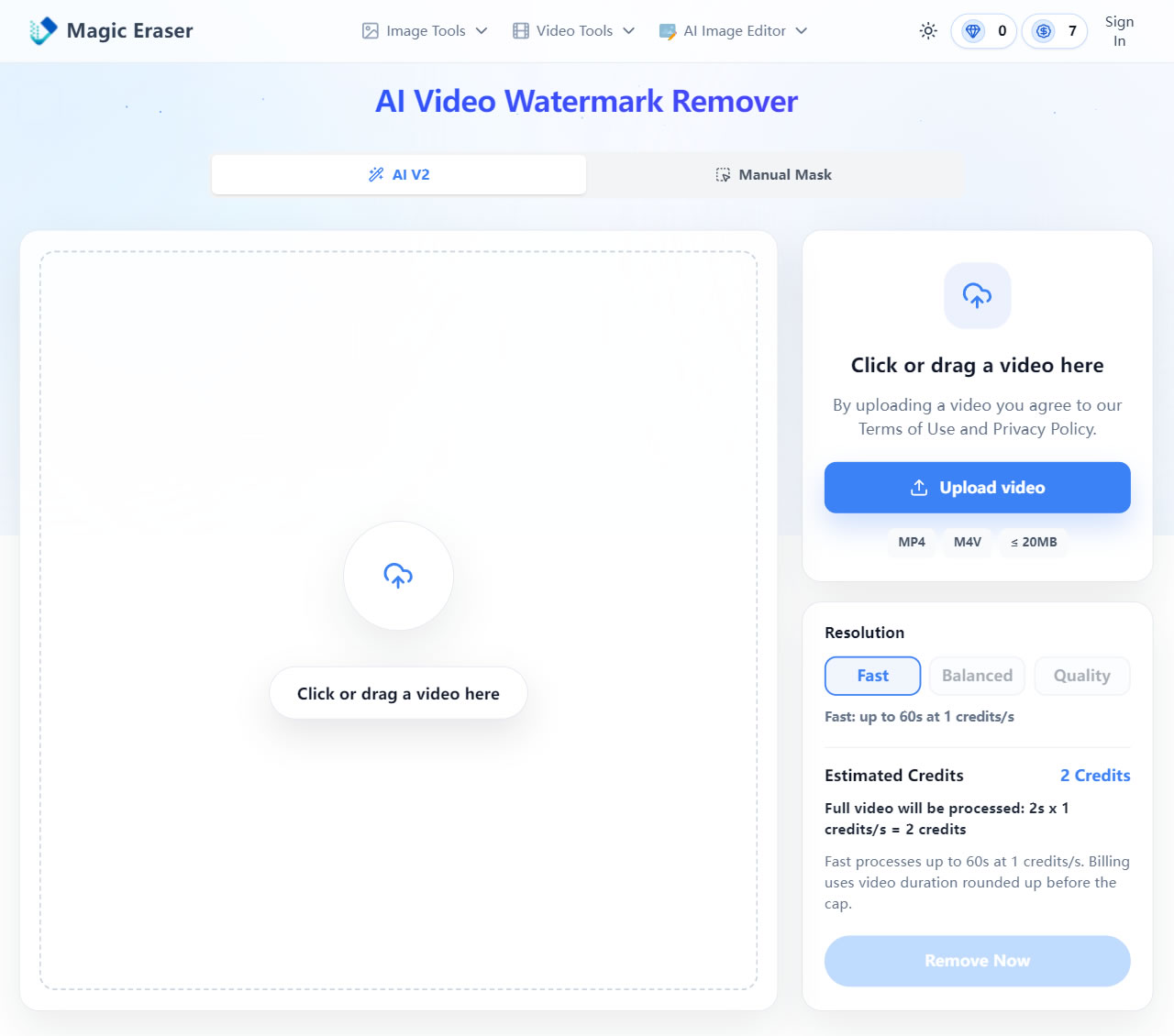
Magic Eraser offers a powerful online AI tool for removing watermarks from both photos and videos. Utilizing cloud-based AI technology, it automatically identifies and precisely eliminates logos, subtitles, and timestamps from your media. The entire process is completely software-free and ensures your original quality is never compromised.
Magic Eraser Review: Free AI Photo & Video Watermark & Object Remover

Website Name: Magic Eraser

Website Link: https://magiceraser.org/remove-logo-from-video/

The "AI Photo & Video Watermark Remover" featured in this article is an online service provided by the Singapore-based company Magic Eraser. Powered by advanced AI, it quickly removes unwanted watermarks and text—including logos, subtitles, and timestamps—from both videos and images. The core advantage of this service is its ability to automatically detect and precisely target watermarks, seamlessly repairing the background without degrading the original resolution. All processing is handled securely in the cloud, so there is no need to download or install any additional software.

Users can earn 10 free credits daily by simply checking in on the Magic Eraser website. These credits can be used across various features, including different photo editing tools and the AI video watermark removal function.

If you feel the premium AI removal service is a bit pricey, you can always switch to the "Manual Mask" mode. This mode is completely free. Unlike the fully automated AI mode, the manual mask requires you to highlight the area you want to remove. While the results may not be as flawless and might leave a noticeable "blurry patch" in videos (or slight smudging in photos), it is an excellent free alternative if you don't need pixel-perfect precision and want to process longer videos.

Please note that the free version of Magic Eraser limits video processing to a maximum of 30 seconds. However, based on our actual testing, only the first 15 seconds can be successfully edited, so please keep this in mind when using the free tier. If you need to process longer content, you can purchase additional credits. They offer both subscription plans and one-time payments, with prices starting as low as $8.90 per month.

In short, the free credits provided by Magic Eraser, combined with the daily check-in rewards, are perfect for testing the photo and video watermark removal effects. Once you are satisfied with the results, you can consider purchasing more credits to process longer videos or high-resolution photos.
Posted in AI, Fun Websites | Leave a comment

CheckPlug Review: Find the Right Travel Power Adapter & Voltage Guide

As we all know, household power standards, plugs, and sockets vary across different countries. There are primarily two voltage and frequency standards: 110-120 volts at 60 Hz, and 220-240 volts at 50 Hz. Plug and socket types are even more diverse. According to Wikipedia's list of domestic power plugs, they can be categorized into over a dozen types. These are labeled with letter codes; for instance, Japan uses types A and B, while European countries primarily use types C, E, and F. It's important to pack a travel adapter or voltage converter before your trip.

CheckPlug Review: Find the Right Travel Power Adapter & Voltage Guide

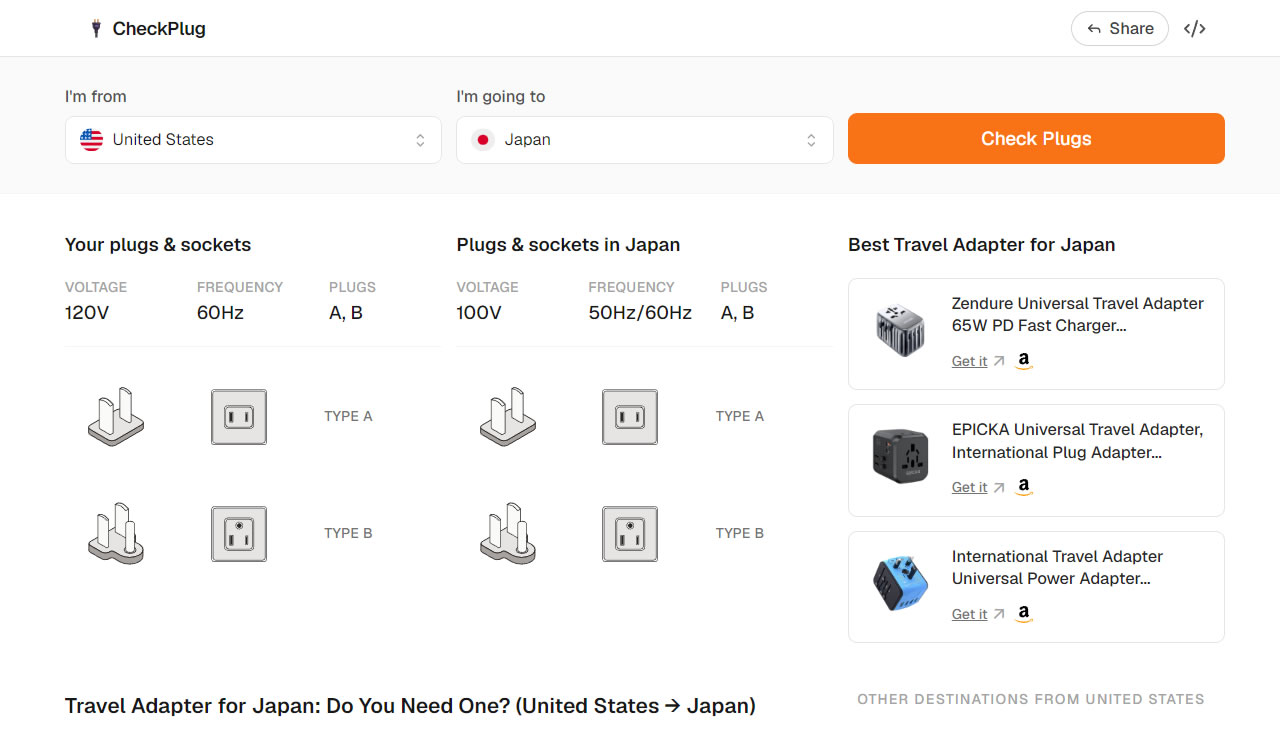
In this article, we're introducing "CheckPlug", an essential tool to quickly look up plug types for any destination. It's incredibly useful for planning your next trip. Simply select your home country and your destination to see the voltage, frequency standards, and plug types for both (which can also be checked on CountryCode). This makes it easy to prepare the right adapter or converter in advance. Of course, tour guides often provide this information, but it's always good to double-check yourself.

Actually, many modern electronic devices are designed with universal voltage, such as iPhone and Apple chargers, which support 100-240 volts. As long as you have the correct plug adapter, they can be used directly. Many travelers also prefer to pack a "universal travel adapter" to handle various socket types.

Website Name: CheckPlug

Website Link: https://www.checkplug.com/

How to Use It

STEP 1

Upon entering the CheckPlug website, it will automatically detect your location and fill in the "I'm from" field. You can also quickly select popular countries from the list below the homepage.

STEP 2

First, select your home region from the "I'm from" dropdown menu. You can find it by typing the English name.

Next, choose your travel destination in the "I'm going to" field. Again, type the English name to select it, then click "Check Plugs" to get the results. It's very simple.

STEP 3

The result page will display the voltage, frequency standards, and plug types for both your home country and your destination. For example, Japan uses types A and B, while Iceland uses types C and F. CheckPlug also provides illustrations so you can easily identify what each plug and socket looks like.

Here are three reasons why you should try it:

  1. Select your departure and destination countries to quickly get power specifications for both locations.
  2. Provides detailed information on voltage, frequency, and plug types, complete with clear visual illustrations.
  3. Helps you confirm whether you need a travel adapter or voltage converter before your trip, ensuring a worry-free journey.

Posted in Fun Websites | Leave a comment

CountryCode Review: Quick Lookup for Global Dial Codes, Plugs & Weather

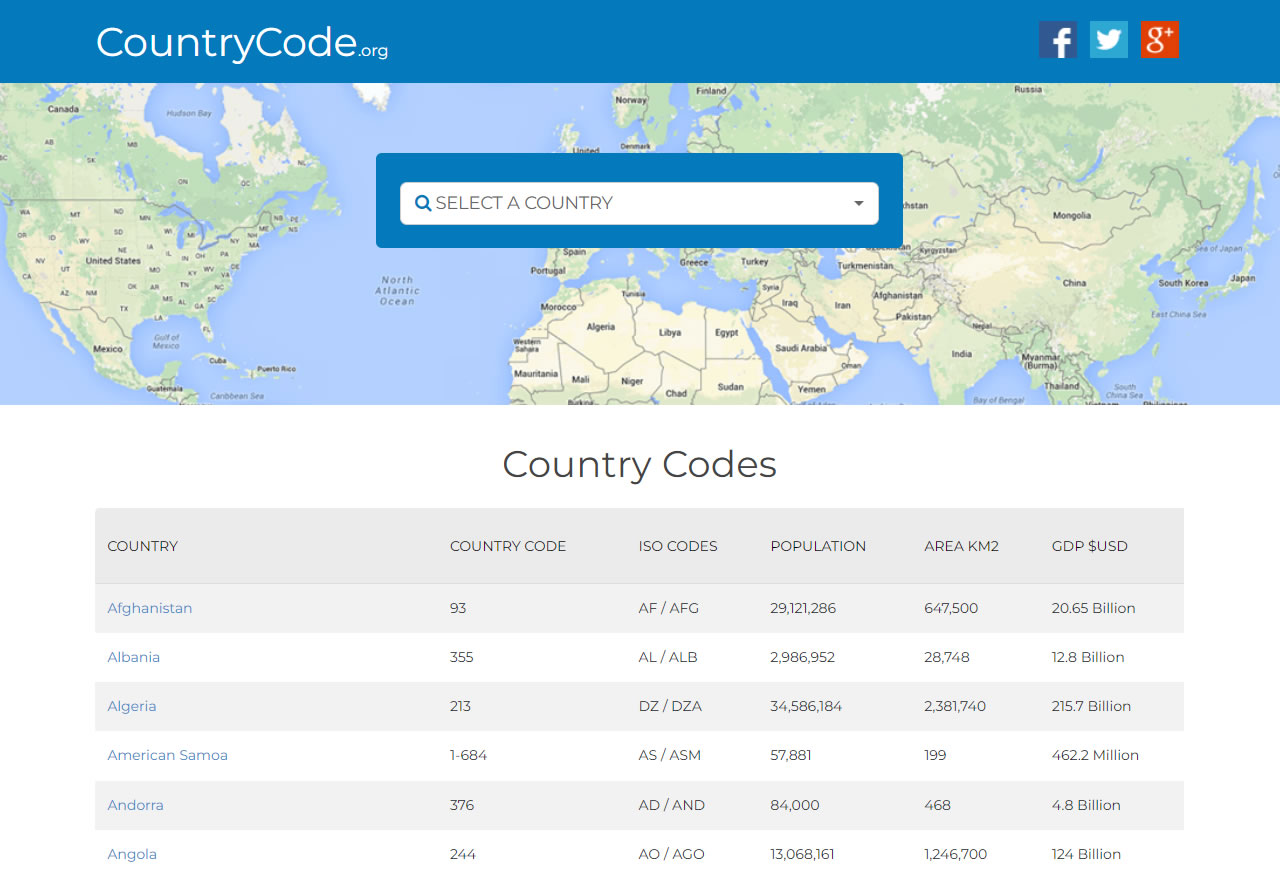
CountryCode is a comprehensive directory designed to assist users in making international phone calls. Essentially, it serves as a searchable database where you can quickly find relevant information for every country, including country codes, ISO country codes, population, land area, and Gross Domestic Product (GDP). If you are planning a trip to a country you've never visited, this website also provides complete travel information.

CheckPlug Guide to Global Plugs & Voltage Standards

CountryCode dedicates a specific page to each nation, displaying detailed information. Besides ISO country codes and telephone country codes, it also covers practical information useful for travelers. This includes ISO codes, dialing codes, as well as travel essentials such as currency, language, electrical outlet types (which can also be checked on CheckPlug), local time, time difference, and weather. The interface is in English but is easy to understand.

The website primarily focuses on the telephony aspect, so it also displays area codes (Dial Codes) for cities within each country. While this information is available on Wikipedia, CountryCode organizes it more clearly and makes it easier to look up.

Website Name: CountryCode

Website Link: https://countrycode.org/

Usage Guide

Browse Country Information Alphabetically from A-Z

Upon opening the CountryCode website, you will see a list of countries arranged alphabetically from A to Z. Each entry displays the country code, population, land area, and GDP.

Use the Search Function to Find a Specific Country Quickly

Utilize the search bar at the top to find a specific country by keyword; the operation is straightforward.

View Area Codes and Travel Information on the Country Page

For example, opening the Japan page reveals area codes and ISO country codes. At the very top, there is an instruction guide on how to call Japan. The primary function of CountryCode is to teach users how to make calls to specific regions, which is displayed prominently at the top of the page.

In fact, the information compiled by CountryCode is quite comprehensive, including latitude and longitude, currency, language, plug specifications, local time, time zone, weather, daylight saving time, and time difference. It is a one-stop solution that saves you the time of searching for data elsewhere.

Here are three reasons why you should give it a try:

  • Integrates various travel and communication data such as country codes, area codes, plugs, and weather.
  • Features an intuitive interface, allowing you to quickly find your target country via search or alphabetical index.
  • Useful not only for making international calls but also as a reference for traveling abroad or business preparations.
Posted in Fun Websites | Leave a comment