
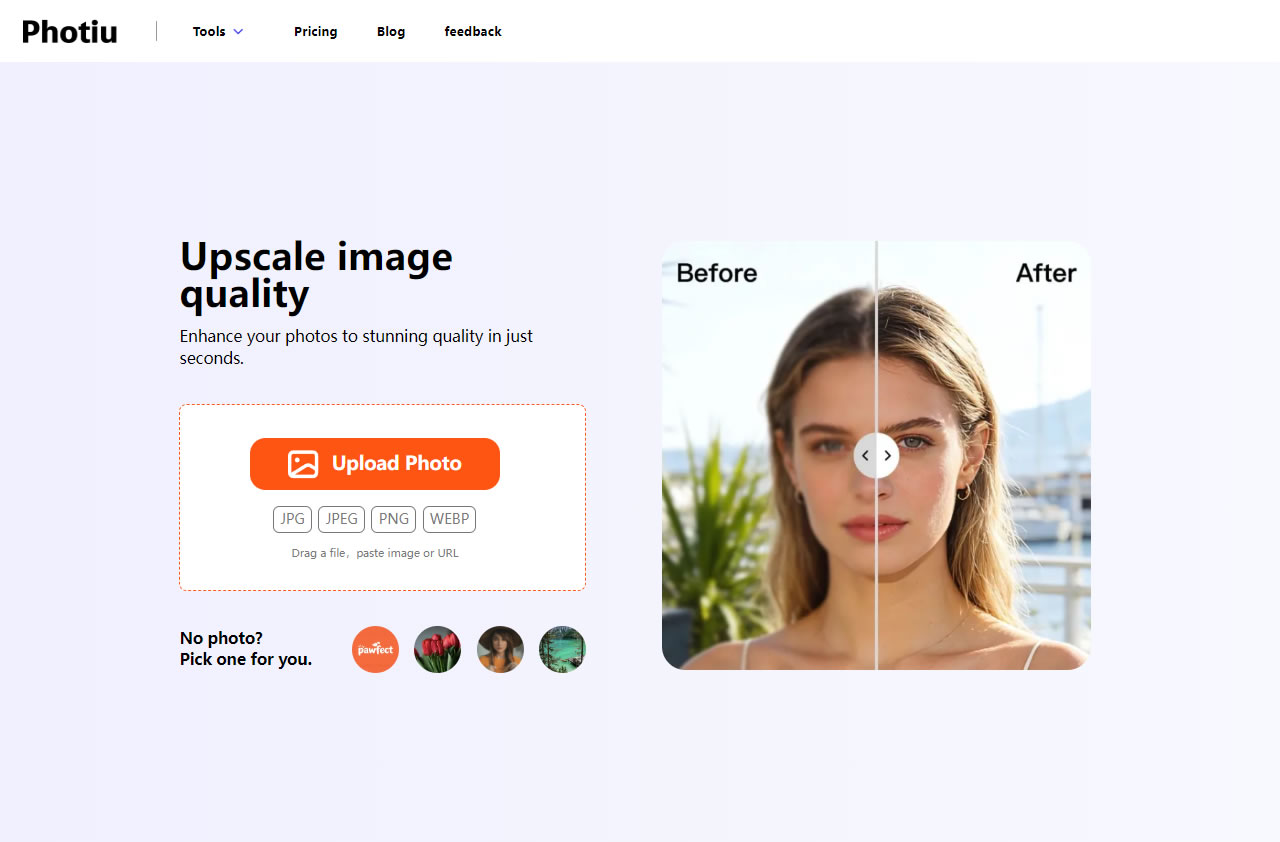
Photiu.ai is a free AI image upscaler designed to solve issues with low resolution, small dimensions, or blurry photos. In just a few seconds, it enhances your images and adds more details. Users don't need to perform any manual editing or tweaking; the entire process is fully automated! Unlike similar tools, this service doesn't require you to manually select an upscale factor (like 2x, 4x, or 8x). The AI automatically determines the optimal output, and you can even compare the before-and-after differences.
All-in-One AI Editing Tools and Credit System
Beyond upscaling, Photiu.ai also offers a background remover, object eraser, and AI image generator. However, downloading high-resolution images after processing requires credits. New users get 2 free credits upon registration, and you can purchase more if needed. Prices range from $4.99 to $59.99 depending on the plan, with better value for larger bundles.
Most AI image upscalers work by redrawing the image to fix blurriness or increase size, but this doesn't always work well for every subject, especially complex photos (which might end up looking too different from the original). Since Photiu.ai doesn't require an account to test the basic upscaling feature, it's definitely worth a try!
Website Information
Website Name: Photiu Free Image Upscaler
Website Link: https://www.photiu.ai/image-upscaler
How to Use It
Upload an Image or Paste a URL
After opening the Photiu Image Upscaler, click "Upload Image" to select your file, or simply drag and drop it onto the webpage. You can also paste an image URL. Supported formats include JPG, JPEG, PNG, and WEBP. If you don't have an image handy, you can click the sample images at the bottom to test the tool instantly.
Automated AI Enhancement and Download
Photiu will then automatically determine the best enhancement. For example, when I tested it with a logo, it quadrupled the size with impressive detail retention—a fantastic AI technology! The whole process takes only a few seconds. Click "Download HD" to save the high-resolution file. Best of all, you don't even need to register an account for this.
Compare Before and After with a Slider
If you want to see the difference between the original and the upscaled image, click the "Compare" button at the top to activate the slider feature.
Explore Background Removal and AI Generation Tools
Photiu offers other AI tools, including background removal, magic eraser, and AI image generation, which you can find in the "Tools" menu. Note that downloading high-resolution images for these features requires you to log in. You can click "Sign Up" in the top right corner to create a free account and receive 2 free credits, which is quite handy for quick, on-the-go tasks.
